In the competitive world of digital marketing and sales, timing is everything. Whether you run a web design agency, an SEO firm, or a cybersecurity company, your success often depends on one critical factor: reaching the right person before your competitors do.
Most businesses rely on manual methods to lookup owner of domain information, typing one URL at a time into a free tool. While this works for a single lead, it is impossible to scale. If you want to generate hundreds of leads per day, you cannot rely on manual searches. You need bulk access.
This is where a Whois Domain List changes the game.
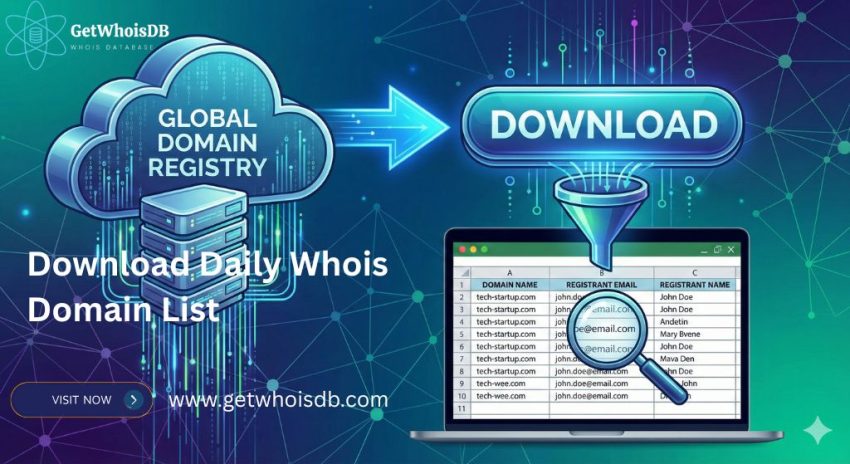
By downloading a daily database of newly registered or existing domains, you can instantly access thousands of potential leads. Instead of spending hours trying to check domain owner details one by one, you can filter a massive spreadsheet to find the exact CEOs, marketing managers, and business owners who need your services today.
In this ultimate guide, we will walk you through exactly how to download these lists, how to analyze the whois details, and the secrets to finding verified email addresses in bulk, even in an era of data privacy.
What is a Whois Domain List?
A Whois domain list is a structured dataset containing the registration details of thousands (or millions) of domain names. Unlike a single whois data lookup which shows you one result on a screen, a domain list is usually a downloadable file (CSV, JSON, or SQL) that you can open in Excel or feed into your CRM software.
These lists are generally categorized into two types:
1. Daily Newly Registered Domains (NRD)
This is a feed of every single domain registered in the last 24 hours.
- Volume: Approx. 100,000 to 200,000 domains per day.
- Best For: Web designers, logo designers, and digital marketers looking for brand new businesses that need immediate services.
2. Historical Whois Data
This is an archive of whois domain data stretching back years. It allows you to see who owned a domain in the past, even if the current record is private.
- Volume: Billions of records.
- Best For: Cybersecurity investigators, trademark lawyers, and investors trying to domain owner find information that has been deleted or hidden.
Accessing a comprehensive whois data base allows you to stop reacting to the market and start proactively targeting it.
Why You Need to Check Domain Owner Details in Bulk
Why are companies willing to pay for a whois database download? The answer lies in the richness of the data. When you look beyond the domain name, the whois details reveal a treasure trove of business intelligence.
1. High-Speed Lead Generation
If you sell SEO services, a company that just registered BestLondonCoffeeShop.com yesterday is a perfect lead. They have intent (they bought a name) but no infrastructure (no site, no ranking). By using a whois domain list, you can grab their contact info and pitch them before they even hire a developer.
2. Cybersecurity and Threat Intelligence
Cybercriminals often register hundreds of domains at once to launch phishing attacks. Security researchers use bulk domain whois data to identify patterns. If one email address is associated with 50 suspicious banking domains, they can block the entire network instantly.
3. Brand Protection
Large corporations monitor whois domain data to ensure no one is infringing on their trademarks. If Apple launches a new product, they bulk scan new registrations to ensure scammers aren’t buying AppleProductSupport.net.
To execute any of these strategies effectively, you need a reliable method to lookup owner of domain information in massive quantities.
How to Download a Whois Domain List: The Methods
There are several ways to acquire this data, ranging from free methods for coders to paid solutions for professionals.
Method 1: The “Free” Route (For Developers)
It is possible to find a free whois database download source, but they often come with significant limitations.
- GitHub Repositories: Security researchers often publish text files of newly registered domains. However, these usually only contain the domain names (e.g.,
example.com) without the contact info. - CertStream: This is a real-time stream of SSL certificates. You can write a Python script to listen to this stream and capture domain names as they appear.
The Downside: A free whois database download rarely includes the email addresses or phone numbers. It gives you the “What” (the domain) but not the “Who” (the owner). To get the contacts, you would still need to perform a separate whois data lookup on every single name, which is slow and technical.
Method 2: Professional Whois Database Providers
For businesses that need ready-to-use leads, the standard solution is to subscribe to a whois database provider. These companies have the infrastructure to scan millions of domains daily, parse the messy data, and deliver a clean CSV file to your inbox.
When choosing a whois data provider, you typically get:
- Full Records: Includes Registrant Name, Email, Phone, Company, and Address.
- Structured Data: No need to clean the files yourself; columns are organized for Excel.
- Filtering: Options to download only
.comdomains or specific countries.
This is the most efficient way to check domain owner information without getting your IP address banned for excessive querying.
Understanding the Whois Details: What is Inside the File?
When you open your whois database download, you will see dozens of columns. Understanding how to read these whois details is critical for filtering good leads from bad ones.
Here are the key fields you will find in a standard whois data base:
1. Registrant Contact Info
This is the gold standard for marketing.
registrant_name: The person who owns the domain.registrant_email: The direct line of contact.registrant_phone: Essential for cold calling teams.registrant_org: The company name (useful for B2B sales).
2. Creation and Expiry Dates
creation_date: Tells you how “fresh” the lead is. A domain created 24 hours ago is a hot lead for web design. A domain created 10 years ago might be a lead for a “website redesign” pitch.
3. Registrar Information
registrar_name: Did they buy from GoDaddy, Namecheap, or MarkMonitor?- Insight: Domains registered at expensive corporate registrars (like MarkMonitor) are usually big enterprises. Domains at cheap registrars might be small businesses or spammers.
4. Name Servers
name_servers: Shows where the site is hosted (e.g.,ns1.wixdns.net).- Insight: If a domain points to “Wix” or “Shopify” name servers, they are using a DIY builder. If they point to “Godaddy Parked,” they haven’t built a site yet, making them a perfect candidate for your web design services.
The Challenge: How to Find Domain Owner Emails in a “Redacted” World
We cannot discuss domain whois data without addressing the GDPR elephant in the room. Since data privacy laws tightened, many Whois records now mask the owner’s true email with text like “Redacted for Privacy” or a proxy email like “contact@privacy-protect.org”.
Does this mean a whois domain list is useless? Absolutely not. You just need to know how to navigate it. Here is how savvy marketers domain owner find even when data is hidden.
1. Look for Corporate Registrations
GDPR largely protects individuals, not corporations. Many businesses still register domains under their legal entity name with a public admin@company.com email address. A high-quality whois database provider will often separate “Corporate” records from “Individual” ones.
2. Use “Cleaned” Databases
Some providers offer a “Clean Whois Database.” In this version, they have already removed the rows with “Redacted” or “Privacy Guardian” emails. This saves you hours of work. You download a file where every single row has a potentially valid, reachable email address.
3. The Website “Contact” Check
If the whois details are redacted, take the domain list and run it through a crawler that visits the website. Often, the owner puts their email address on the “Coming Soon” page or the “Contact Us” footer. This data isn’t in the Whois registry, but it is publicly available on the site itself.
Historical Whois Data: The Secret Weapon
Sometimes, the current whois data lookup tells you nothing because the owner turned on privacy protection yesterday. This is where historical whois data becomes invaluable.
Historical whois data allows you to “time travel.” You can look up the domain’s record from 2, 5, or 10 years ago.
- Scenario: A domain currently shows “Redacted for Privacy.”
- The Trick: You search the historical whois data and find a record from 2015 where the owner, “John Smith,” listed his personal Gmail before privacy laws were strict.
- The Result: You now have a likely contact name for the current owner, even though the public record is hidden.
This technique is widely used by private investigators and journalists, but it is also a powerful tool for high-end B2B sales.
How to Choose the Right Whois Database Provider
Not all data is created equal. If you search for a whois data provider, you will find prices ranging from $10 to $500 per month. How do you choose?
1. Freshness (The “Daily” Factor)
If you are doing lead gen, you need yesterday’s data. Ensure the provider updates their whois domain list every 24 hours. Old data is stale data; business owners have already bought a website by the time you email them a week later.
2. Data Parsability
Raw domain whois data is messy and unstructured. A good whois database provider parses this text into neat columns (City, State, Zip, Phone) so you can filter easily. For example, if you only want to target “Dentists in New York,” you need a database that separates “State” and “Domain Keywords” into different columns.
3. Pricing vs. Quality
- Budget Providers: Great for freelancers. You might pay $15-$30/month. You get the raw list, but you may have to filter out the spam yourself.
- Premium Providers: Cost $100+/month. They provide highly enriched data, often combined with DNS records and IP geolocation.
Conclusion
Accessing a Whois domain list is one of the most effective ways to fuel your business growth. It transforms the internet from a vast, unorganized ocean into a structured database of opportunities.
Whether you use it to check domain owner details for a security investigation or to find your next 100 web design clients, the key is consistency. By setting up a workflow where you automatically download, filter, and outreach to these leads, you build a pipeline that never runs dry.
Ready to start? Stop wasting time on manual searches. Find a reliable whois database provider today, download a sample of the daily list, and see the power of bulk intelligence for yourself. The owners of the next big startups registered their domains yesterday, will you be the first to contact them?